ISP management system
Billing, RADIUS and routers. One panel.
Zoop Radius runs the day-to-day of a broadband ISP: who is online, who is due, who has paid, and what every customer's router is doing. Your LCOs work in the same system, each with their own wallet and prices.
Features
Built around the work an ISP does every day
Each screen answers one question quickly. The screenshots below are from the real product, filled with demo data.
Customers
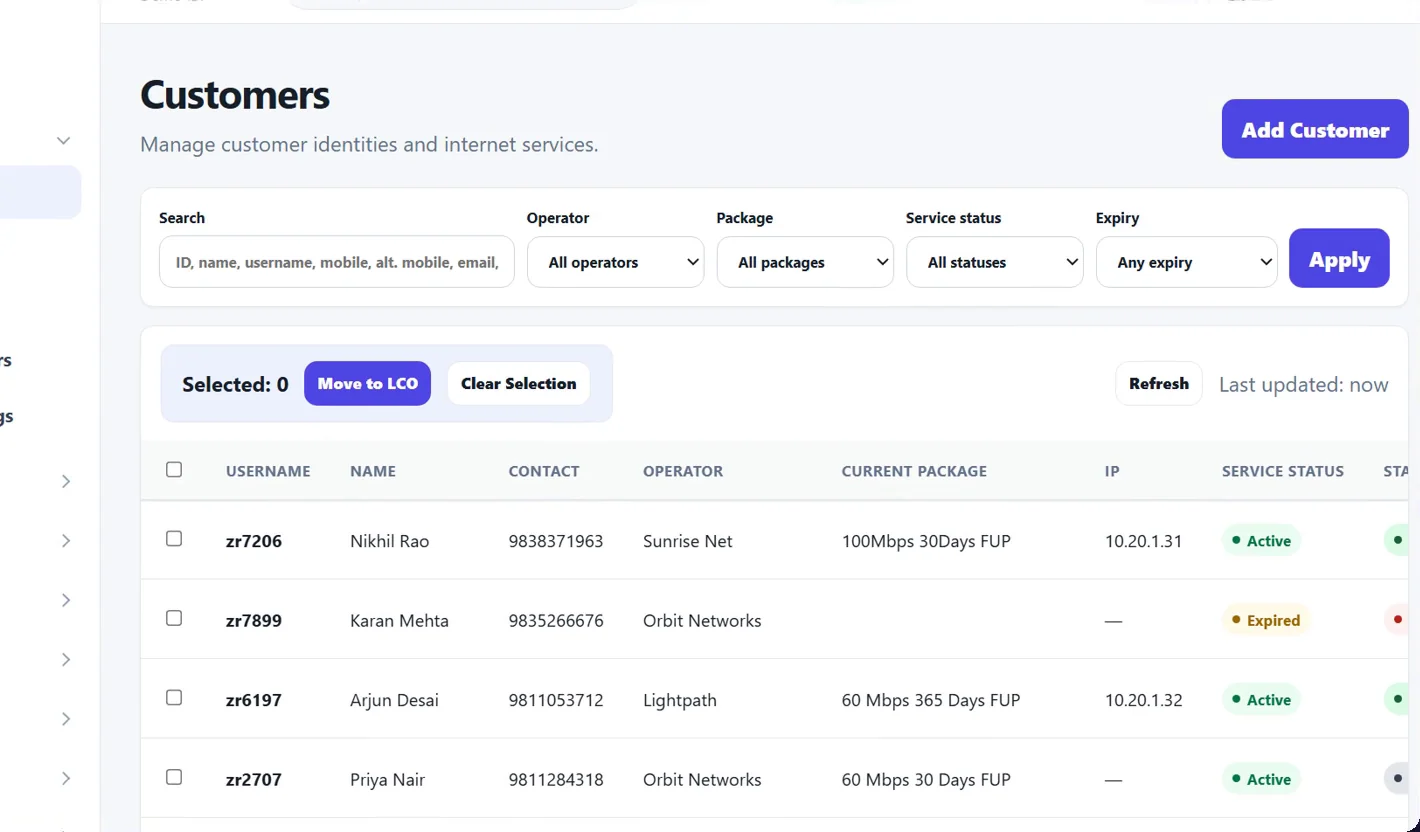
Find anyone in a second
Search by name, username, mobile, address or IP. Filter by LCO, package, status or expiry, then act on a whole selection at once.
- Live online and offline status on every row
- Bulk import from your old system
- Move customers between LCOs
One page per customer
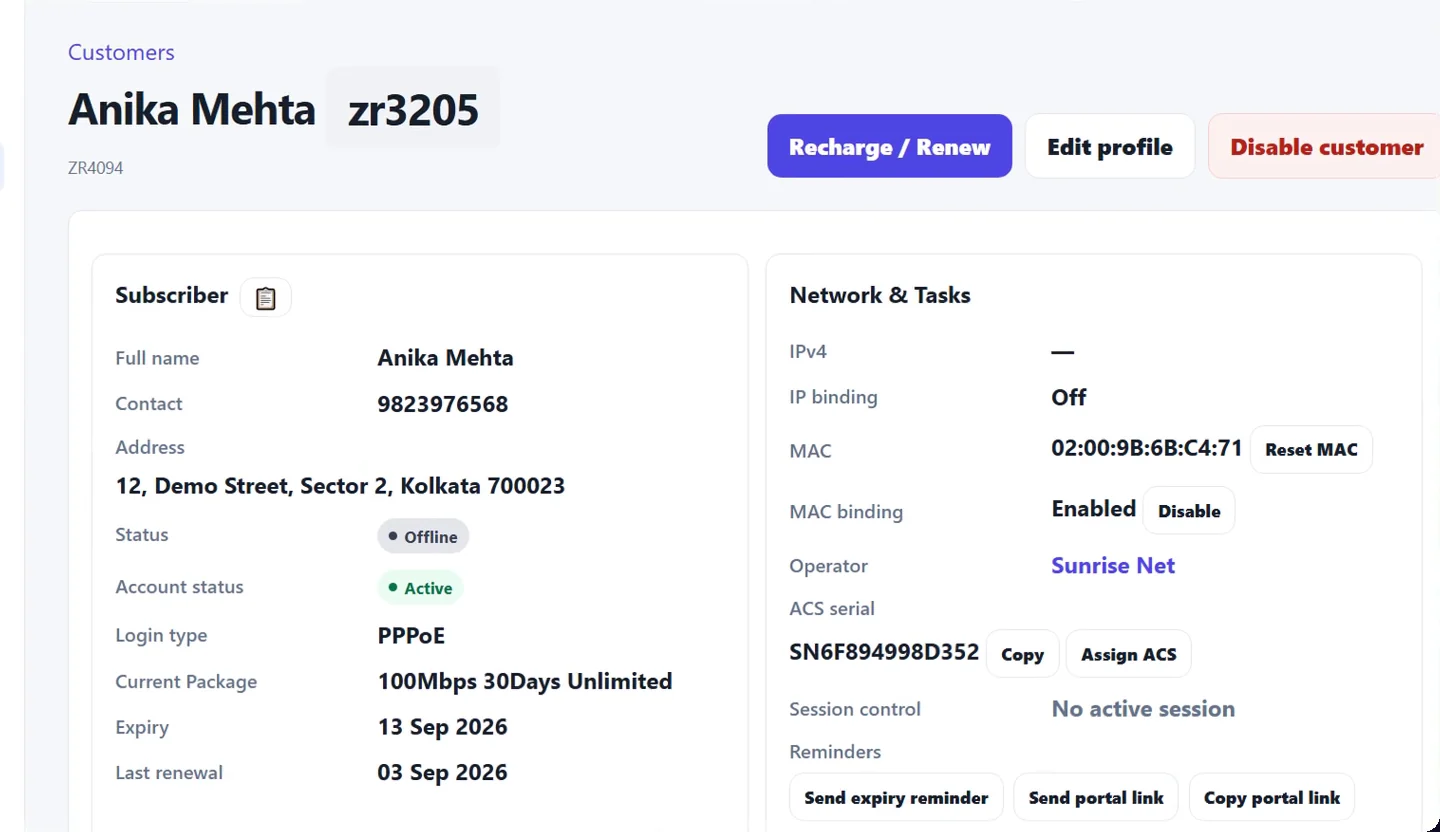
Everything about a connection, together
Profile, package, expiry, live session, MAC binding, router, invoices and documents sit on one page, so support calls end faster.
- Renew, upgrade or change expiry in a click
- Reset PPPoE password or MAC without a site visit
- Login history with the reason for every rejected attempt
Built-in TR-069
See every router you have deployed
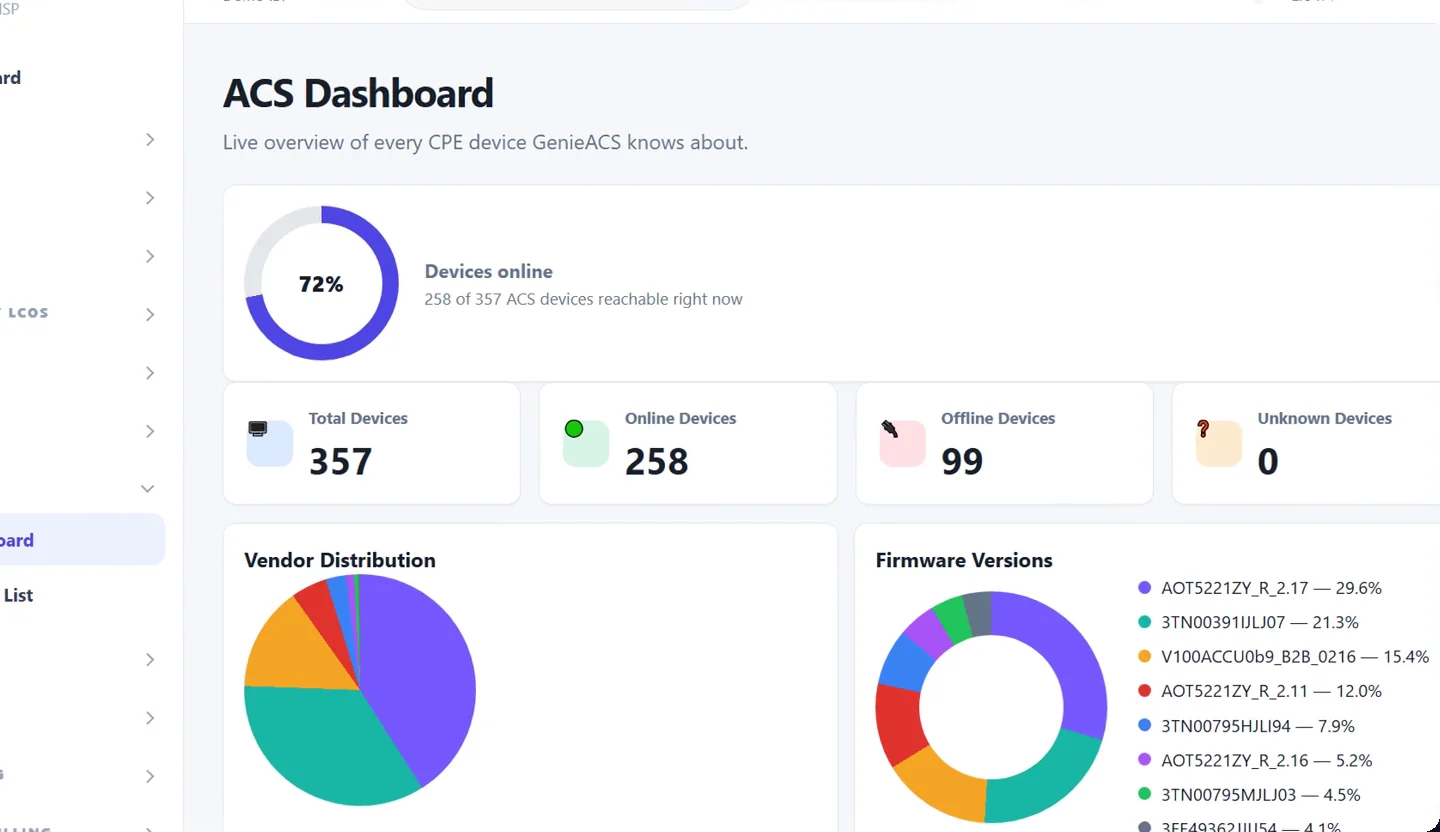
The ACS is part of the system, not a separate tool. Know which devices are online, which vendors and firmware versions you run, and open any router from its customer's page.
- Online, offline and unknown device counts
- Vendor and firmware breakdown
- Works with TR-098 and TR-181 CPEs
Zero-touch provisioning
Scan the serial. The router sets itself up.
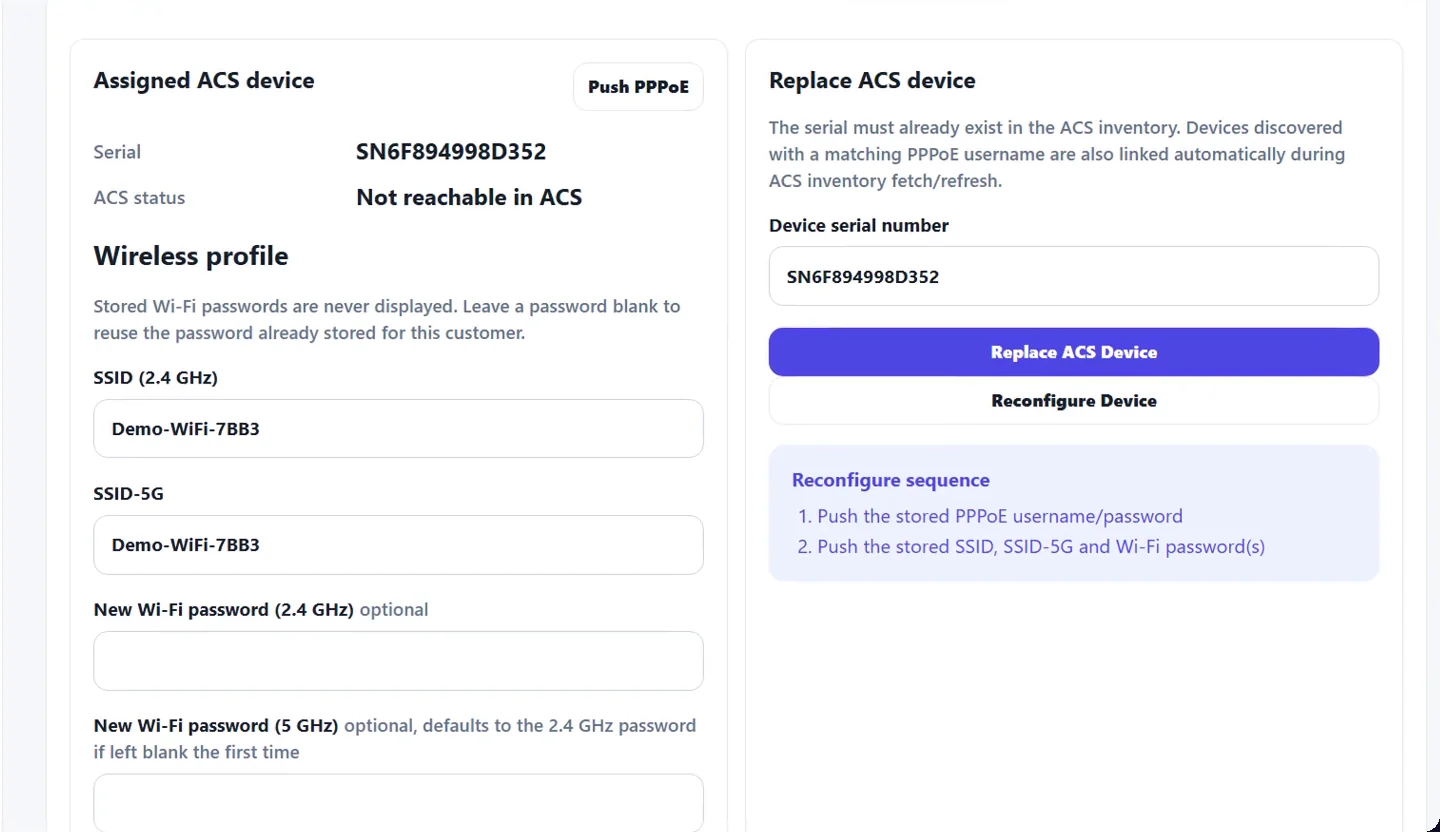
Assign a router to a customer by typing or scanning its serial number. Zoop Radius pushes the PPPoE login first and the Wi-Fi names and passwords a few minutes later.
- Replace a faulty router without re-entering anything
- Push Wi-Fi changes from the panel or the customer's phone
- Reconfigure a factory-reset device in one click
NAS and IP pools
Your MikroTiks and public IPs, tracked
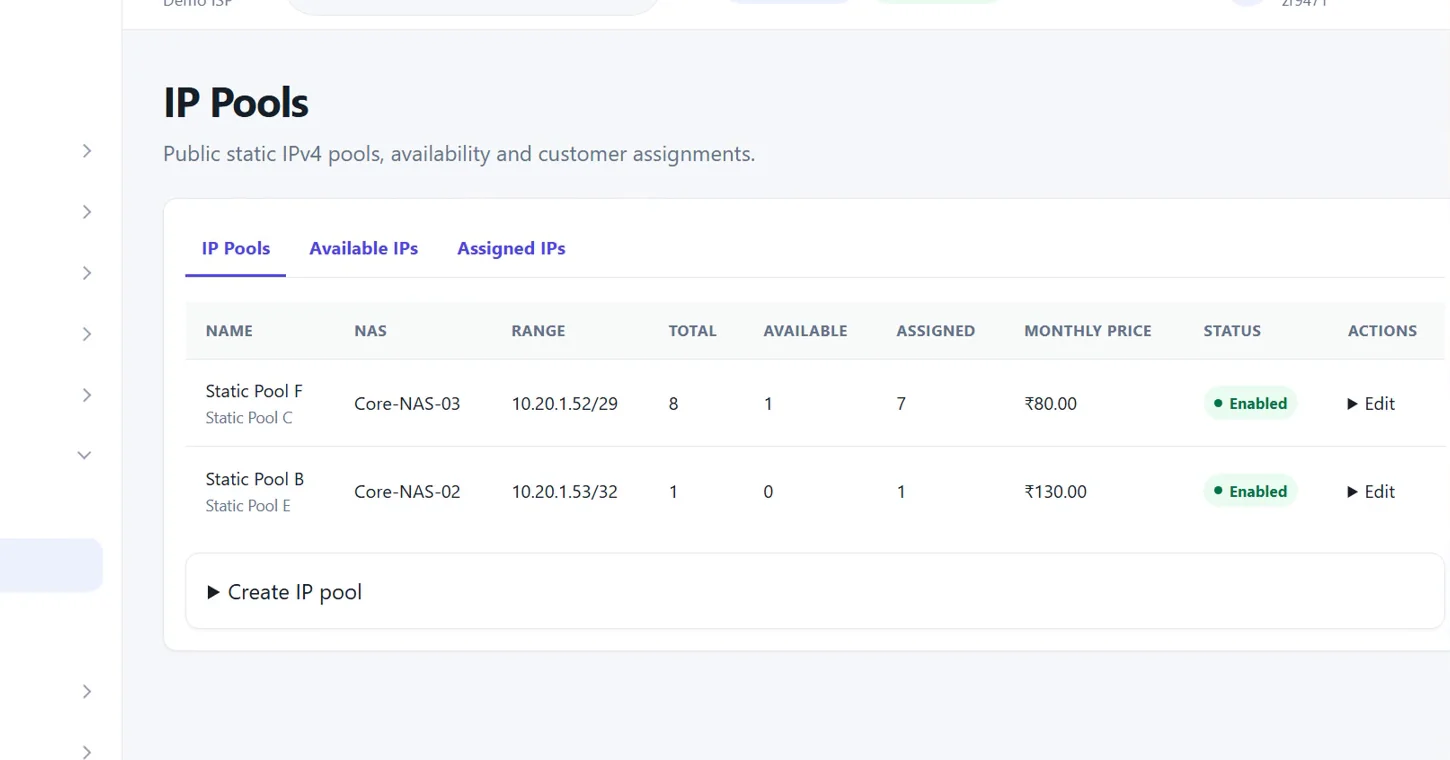
Add a NAS and watch its RADIUS activity and live sessions. Keep static public IP pools with a monthly price, and see what is free and who holds each address.
- Disconnect a session from the panel
- Static IP charge added to the customer automatically
- Walled pools for expired and disabled customers
LCO management
Each LCO in control of their own area
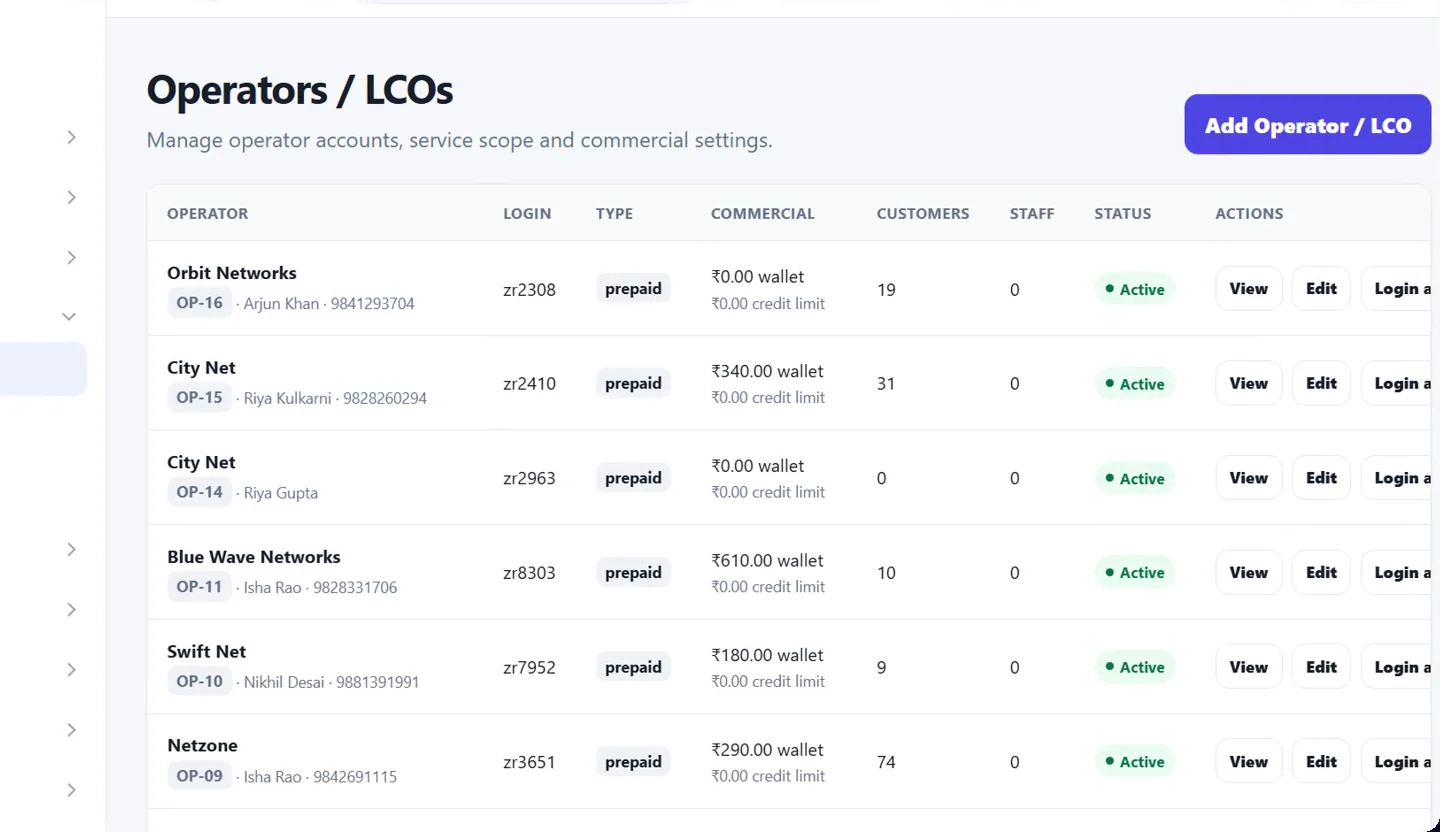
Give every local cable operator a login, a prepaid wallet, their own packages and customer prices. You see all of them; they see only their own customers.
- Wallet debits on every renewal, with low-balance alerts
- Regular and revenue-sharing commercial models
- Staff accounts with specific rights
WhatsApp notifications
Reminders that go out on their own
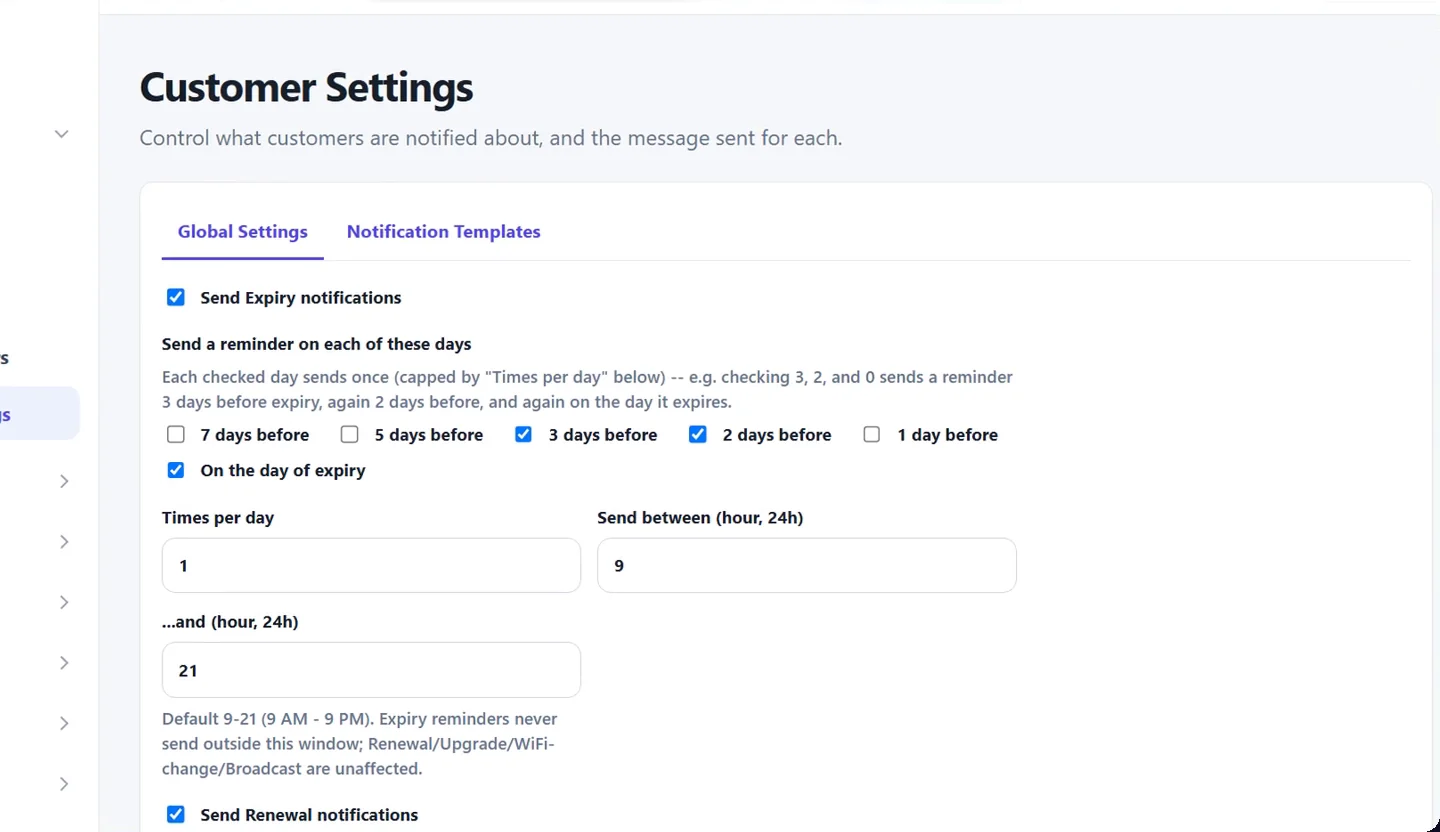
Choose which days before expiry a customer is reminded, how many times a day, and between which hours. Renewal, upgrade and Wi-Fi change messages are sent as they happen.
- Your own message templates
- A payment link that logs the customer straight into their portal
- A log of every message sent
Customer self-care portal
Fewer calls, because customers can do it themselves
Your customers get a portal on your own domain, designed for a phone. No app to install.
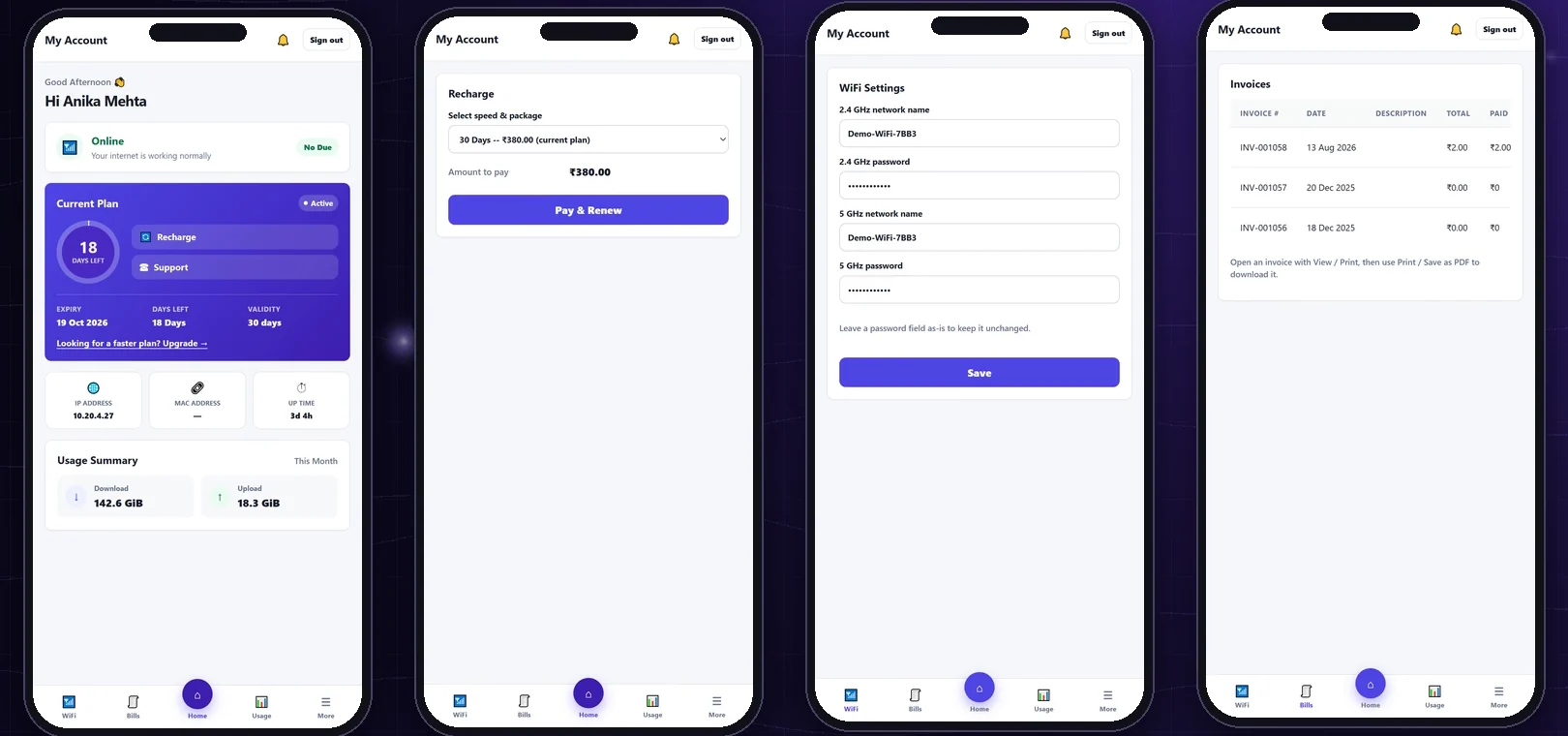
Recharge online
Renew or upgrade and pay by UPI or card through your own PayU or Razorpay account. The plan is applied the moment the payment lands.
Change Wi-Fi name and password
The new settings are pushed to the customer's router through TR-069. Nobody has to visit or log in to the router.
Usage and invoices
Customers check their plan, expiry date and data usage, and download every invoice they have been issued.
Everything else
The rest of what is in the box
AAARADIUS authentication
PPPoE logins, speed limits and static IPs are applied at login. Every accepted and rejected attempt is logged with its reason.
MACMAC binding
Lock a connection to its router. The MAC is learned at the first login and can be reset when a router is replaced.
INVInvoices and payments
Invoices for every renewal, with cash, UPI, bank and online payments recorded against them. Refunds and reversals are tracked.
DEPDeposits and installation
Raise installation charges and hold refundable router deposits against a customer, with the payment recorded on the same page.
PKGPackages and FUP
Speed, validity and data-cap plans. Bundle packages into groups and assign them to LCOs with their own prices.
PAYPayment gateways
Connect PayU or Razorpay per ISP or per LCO. A payment that arrives late is still applied automatically.
LIVELive dashboard
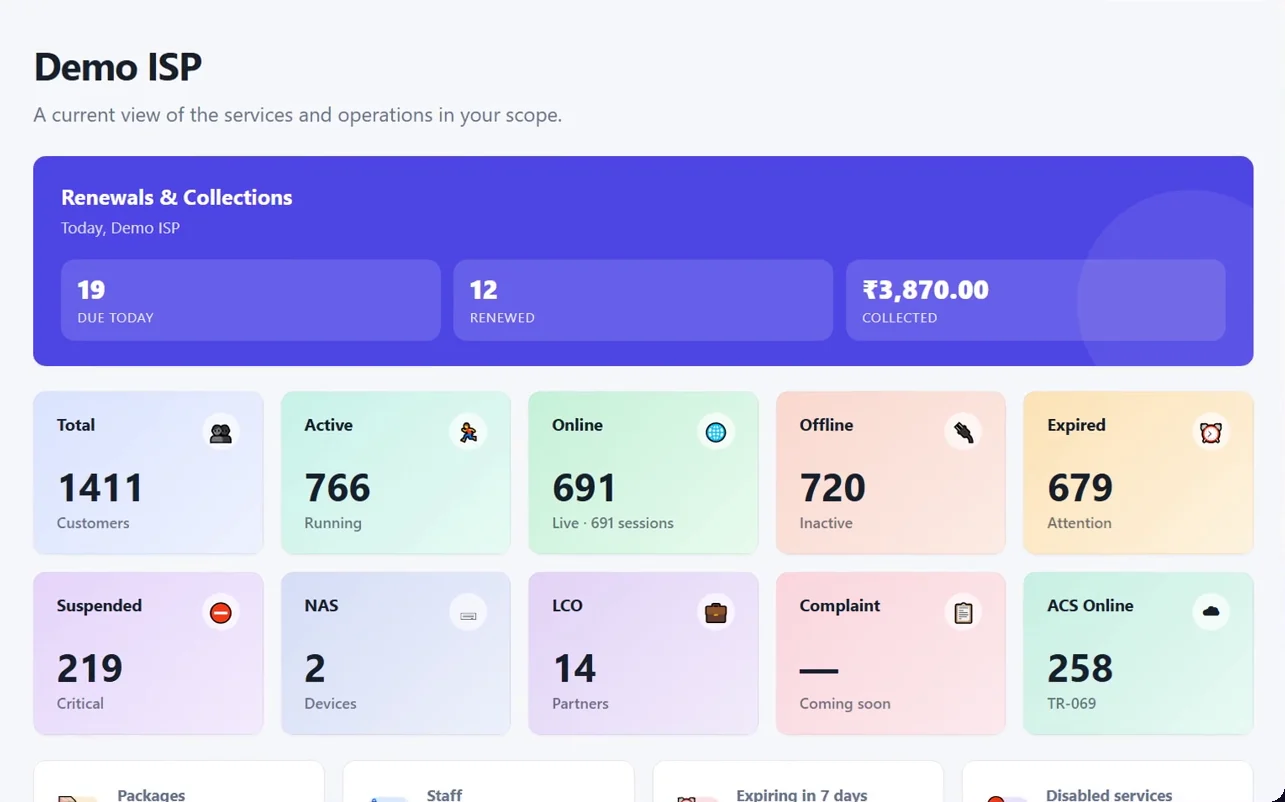
Online, offline, expired and due-today counts refresh on their own. Click any tile to open that list of customers.
ROLEStaff and permissions
Create staff for the ISP or for an LCO and choose what each role may see and do. Sensitive actions are written to an audit log.
CAFDocuments
Keep each customer's application form and ID documents with their account, ready when you need them.
Who it's for
Three kinds of people use it
The ISP
See the whole network
Every customer, LCO, NAS and router in one place, with today's renewals and collections on the first screen.
The LCO
Run your own area
Add customers, renew them from your wallet, set your own customer prices and manage your own staff.
The customer
Help yourself
Recharge, change Wi-Fi settings and download invoices from a phone, at any hour.
See it with your own network in mind
Call or message us and we will walk you through Zoop Radius and what moving your customers over would involve.